
Download ReCaster APK – Free Android News, Sports, Movies, TV Series Viewer
Overview
ReCaster is a free Android application developed by Software Creatures, designed to help users stream and manage online video content across multiple devices. The app enables viewers to watch news, sports broadcasts, movies, and TV series directly from web-based sources on their smartphones, tablets, or connected TVs using Chromecast. It functions as a bridge between online video links and compatible playback platforms, allowing seamless casting to preferred devices.
Target users include casual viewers, media enthusiasts, and individuals who frequently access online video content across different platforms. The app is particularly useful for those who want to enjoy web-based videos on larger screens without relying on official apps or subscriptions. It supports the transfer of video links to casting-capable applications, making it a flexible tool for content consumption.
ReCaster does not host content itself but acts as a conduit for external sources. Users must have legal rights to access and download any video they intend to use. The app is intended for personal use and does not include built-in content libraries or streaming services. Its primary purpose is to enhance accessibility and convenience when viewing web-based video material.
Key Features & Capabilities
- Web Video Streaming – Allows users to access and play videos from various websites directly through the app, including news, sports, movies, and TV series.
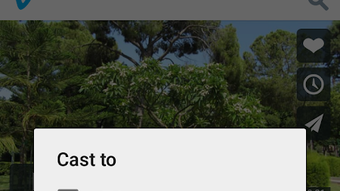
- Chromecast Integration – Enables casting of video links to compatible TVs or streaming devices using Google Chromecast.
- Link Sharing Functionality – Provides the ability to send video URLs to other casting-enabled applications for playback on different devices.
- Download Support (with Permissions) – Offers the option to download videos when users have legal authorization to do so, facilitating offline viewing.
- Multi-Device Compatibility – Works across Android phones, tablets, and devices connected via Chromecast, enhancing viewing flexibility.
These features make ReCaster ideal for users who frequently navigate web-based video content and want a unified way to view it across devices. For example, a sports fan can copy a live match link from a news site, open it in ReCaster, and cast it to their TV for a better viewing experience. Similarly, someone watching a documentary online can download it legally for later viewing during travel.
User Interface, Workflow & Performance
The user interface of ReCaster appears to be designed with simplicity in mind, focusing on core functionality without unnecessary complexity. Navigation likely centers around a clean input field for pasting video links, followed by options to cast or download. The workflow emphasizes speed and ease of use, enabling users to quickly process links and direct them to their desired device.
Based on general Android application behavior, the app likely maintains responsive performance during casting operations. However, actual performance may vary depending on network conditions, device capabilities, and the source of the video. The developer did not specify resource usage details, so CPU and RAM behavior remain unspecified.
Stability is expected to be consistent with typical Android apps of its type, but long-term reliability may depend on updates and compatibility with evolving web platforms. No information was provided about crash rates, background processes, or memory leaks.
Compatibility & System Requirements
ReCaster is designed for Android devices and is available as an APK file. The supported operating system is Android, though specific version requirements were not listed. Installation size is not specified, and no hardware requirements were provided by the developer.
Users should ensure their Android device supports Chromecast functionality and has the necessary permissions to install apps from external sources (unknown sources). The app is intended for use on mobile and tablet devices, as well as TVs connected via Chromecast. Compatibility with specific Android versions or device models was not detailed.
Pros and Cons
Pros
- Free to download and use
- Supports casting to Chromecast-enabled TVs
- Allows downloading of videos with proper permissions
- Simple interface focused on core functionality
- Works across multiple Android devices and platforms
Cons
- No official app store availability mentioned
- Requires external source links to function
- Resource usage details not disclosed
- Dependent on third-party video sources
- Download functionality limited to legal use cases
FAQ Section
Is ReCaster available on the Google Play Store?
The developer did not specify whether ReCaster is available on the Google Play Store. It is currently distributed as an APK file, which may require manual installation from external sources.
Can I use ReCaster to watch videos offline?
Yes, ReCaster allows video downloads when users have legal permissions to do so. This feature supports offline viewing on Android devices.
Does ReCaster work with all video websites?
ReCaster functions with video content available on websites, but compatibility depends on the source site’s playback methods and restrictions. Not all websites may be supported.
Is ReCaster safe to install?
As with any third-party APK, users should ensure the source is trustworthy. The app itself does not include known malware, but caution is advised when installing apps from unknown publishers.
How often are updates released?
Information about update frequency was not provided. Users should check the developer’s official website or distribution channel for the latest version.
Final Thoughts + CTA
ReCaster presents a straightforward, free solution for users seeking to stream and manage web-based video content across devices. Its integration with Chromecast and support for downloading videos under legal conditions make it a practical tool for media consumers who value flexibility and control. While it lacks official app store presence and detailed system specifications, its core functionality remains effective for intended use cases.
It is best suited for individuals who regularly access online videos and want a simple way to cast or save them for later. The app’s minimal design and direct approach cater to users who prioritize utility over extensive features.
Download ReCaster now to enhance your video viewing experience on Android and Chromecast devices.






.png)
